Apple Health: Top feature for Watch and iPhone

Apple Health: Top feature for Watch and iPhone

Today, April 7 is World Health Day. With that in mind, we’ve got a round-up of some of the most valuable health features to check out (or revisit) on Apple Watch and iPhone, with third-party accessories and apps that sync with Apple Health, tips on avoiding back pain at your desk, and more.

We’ll start out looking at the native health and fitness features on iPhone and Apple Watch and finish up with some third-party accessories and apps that bring features and tracking Apple doesn’t offer. We’ll wrap up with with tips on preventing back pain and neck strain while at your computer and do’s and don’ts for keeping your iPhone clean.

iPhone health features
Apple Health features iPhone

The two main native places to dig into health features with iPhone are with Apple’s:

With the Fitness app, you’ve got a hub for all your fitness and movement data. Swipe down when looking at the main Summary tab to see your various Trends over time.

The Fitness app, naturally, includes Apple Fitness+ if you want to try out the service for the first time or give it another shot if it’s been a while.

Meanwhile, Apple’s Health app stores a broader range of data with categories including activity, body measurements, cycle tracking, hearing, heart, medications, mindfulness, mobility, nutrition, respiratory, sleep, symptoms, vitals, and other data.

All this health data can be manually or automatically saved when using iPhone, Apple Watch, and other Apple Health-supported accessories and apps.

One neat new option that arrived with iOS 16 is the ability to track and manage supplements and medications in Apple’s Health app.

Apple Watch health features

While you can view all of your health and fitness data on iPhone, Apple Watch is a seamless way to track activity, heart health, and much more – which is automatically saved with iPhone. Here are some valuable features to try out or revisit:

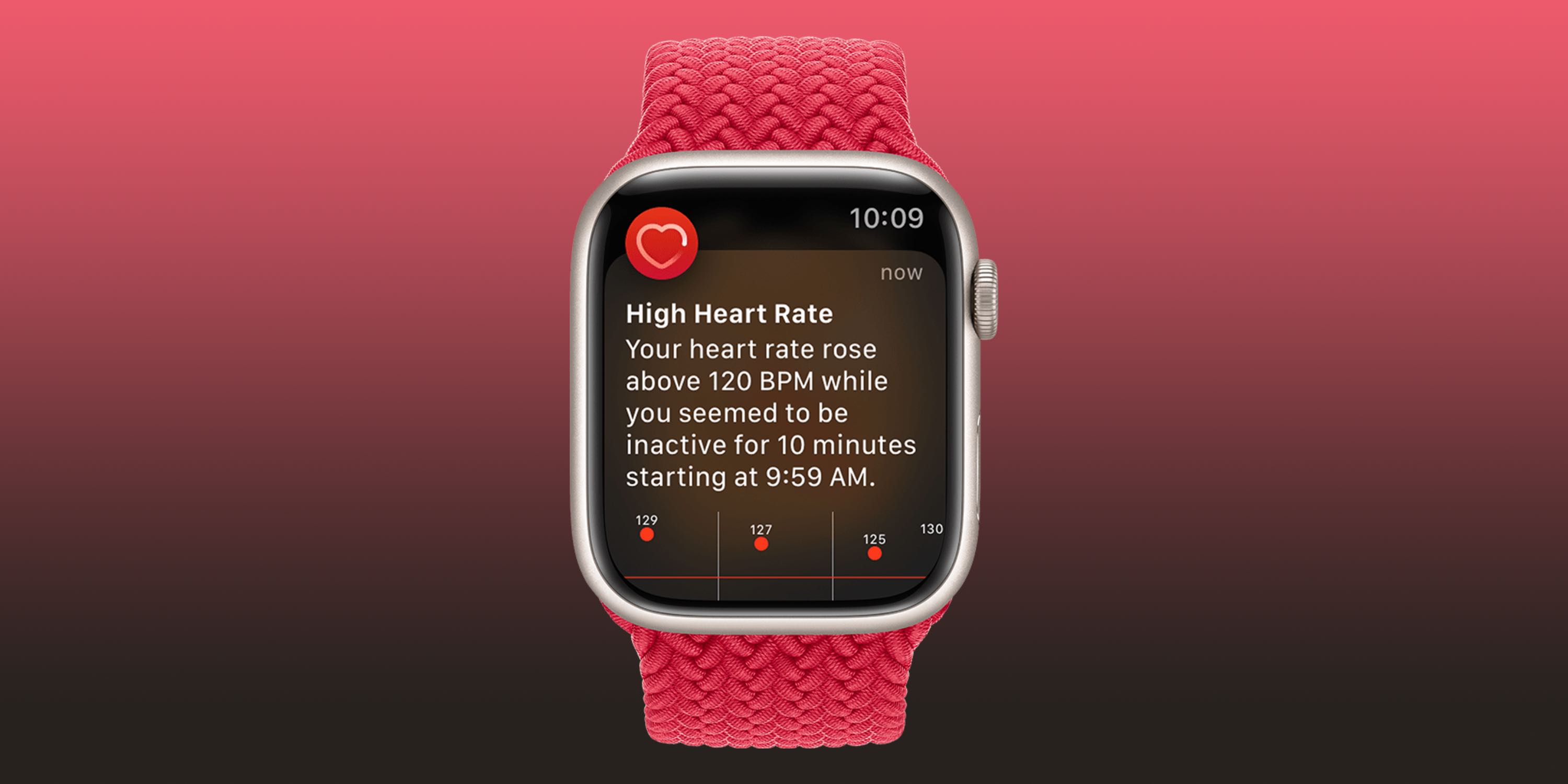
High and low heart rate notifications
Apple Health features Apple Watch
  • If you’d like an alert when your heart rate dips below or rises above a certain threshold and remains there for 10 minutes while inactive, this feature is available for those 13 years old and up.
  • If you didn’t turn it on the first time opening the Heart Rate app or want to change it:
  1. Open the Watch app on your iPhone
  2. Swipe down and choose Heart (under the My Watch tab)
  3. Tap High Heart Rate > pick a threshold
  4. Tap Low Heart Rate > pick a threshold

Irregular heart rhythm notifications

Here’s what this feature does:

“If you receive a notification, the irregular rhythm notification feature on your Apple Watch identified an irregular rhythm suggestive of AFib and confirmed it with multiple readings.
If you have not been diagnosed with AFib by a physician, you should talk to your doctor.

To make sure this feature is set up:

  1. Open the Health app on your iPhone
  2. Choose Browse in the bottom right corner
  3. Now tap Heart
  4. Swipe down and look for Set Up under Irregular Rhythm Notifications
  5. If you don’t see that in the Health app, open the Watch app on iPhone
  6. Swipe down and tap Heart (under the My Watch tab)
  7. Tap the toggle next to Irregular Rhythm

ECG and AFib History
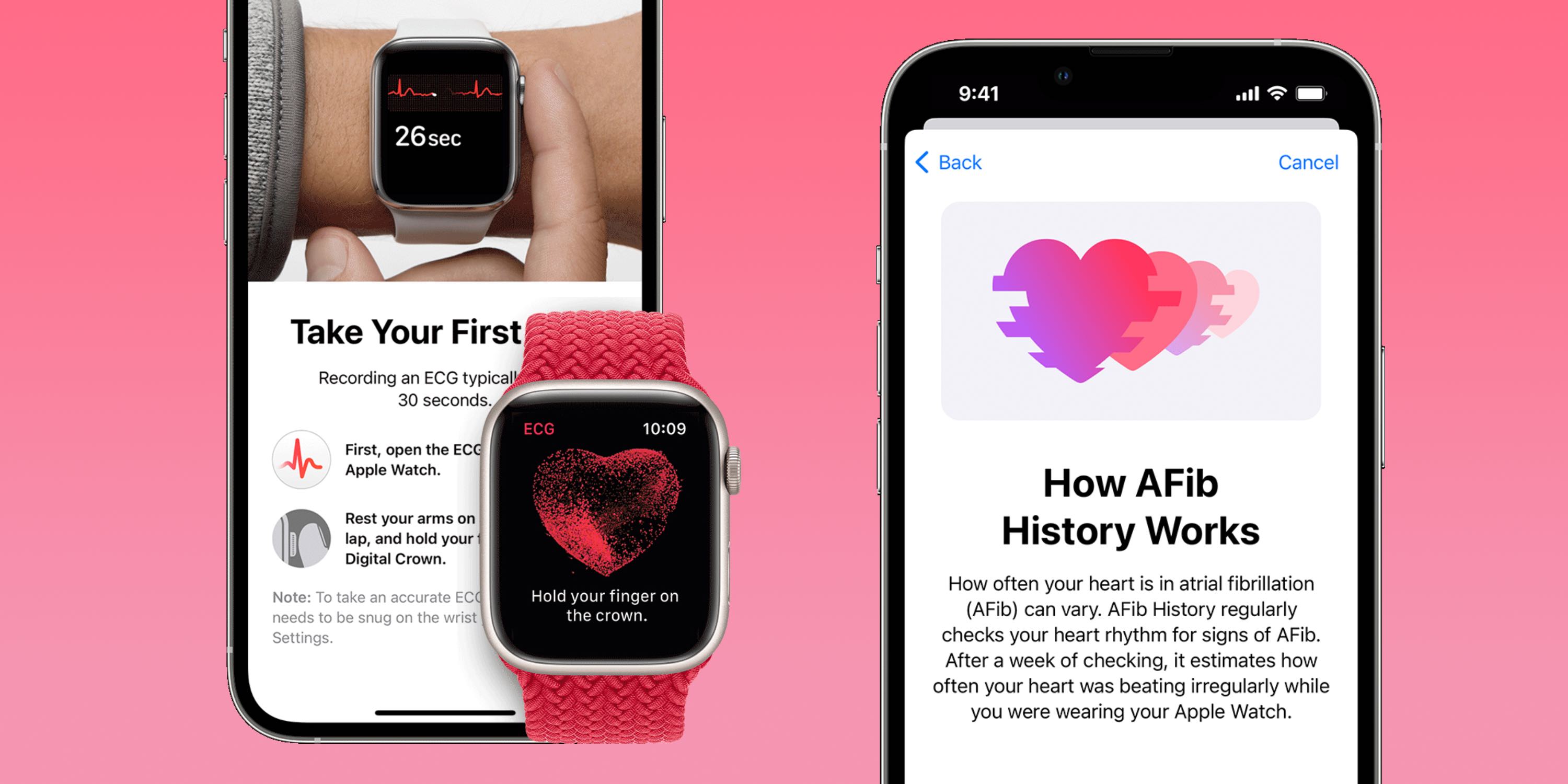
  • The ability to take ECGs with Apple Watch arrived with Apple Watch Series 4 in 2018 starting in the US. In the years since, the valuable and impressive feature has expanded to over 100 countries.
  • ECGs are for Apple Watch users at least 22 years old. If you haven’t used it before or didn’t set it up when you first got your watch:
  1. Open the Health app on your iPhone
  2. Choose Browse in the bottom right corner
  3. Now tap Heart > ECG > Set Up
  4. You can also set up the more recent AFib History feature – this regularly checks for signs of AFib in the background
  5. Head back to the Health app on your iPhone
  6. Browse > Heart > look for Set Up near the bottom under AFib History

Apple highlights that after an ECG “Regardless of the result, if you aren’t feeling well or are experiencing any symptoms, you should talk to your doctor.”

Cardio Fitness

Here’s how Apple describes Cardio Fitness (VO2 max):

“Cardio fitness is a measurement of your VO2 max, which is the maximum amount of oxygen your body can consume during exercise. Your cardio fitness level is a strong indicator of your overall physical health and a predictor of your long-term health.”

Check out how to get going with this or view your data in our full guide:

Cardio Recovery

Like HRV and VO2 max, Cardio Recovery or heart rate recovery is a lesser-known health metric that’s measured by Apple Watch every time you track a workout. Cardio Recovery measures how much your heart rate decreases immediately after exercise. As with heart rate variability, heart rate recovery (HRR) offers a look at your heart health by how fast it responds to the autonomic nervous system.

Learn how to set it up and more in our full guide:

Heart rate variability (HRV)

Heart rate variability (HRV) is automatically captured by Apple Watch but it’s not viewable in the wearable’s native Heart Rate app. You’ll need to head to the iPhone’s Health app > Browse > Heart.

What is HRV? It’s the measurement of how the interval of time between heartbeats changes, measured in milliseconds – notably this is a metric that changes a lot, so looking at broad trends, not daily numbers is most helpful.

HRV is considered by many in the medical field as a powerful indicator of not only current overall health and resilience of the heart and body but also a strong predictor of future mortality.

HRV is also often used as a signal to understand when the body is ready for exercise or rest. All of this is thanks to HRV showing how responsive the heart is to our autonomic nervous system.

Heart data history

On Apple Watch

  1. Head to the Heart Rate app on your Apple Watch to see daily data (app with heart icon)
  2. You’ll see your current heart rate, swipe or scroll down with the Digital Crown
  3. Now you can see your resting rate, walking average, workout heart rate, and heart rate recovery data (if you’ve done a workout recently)
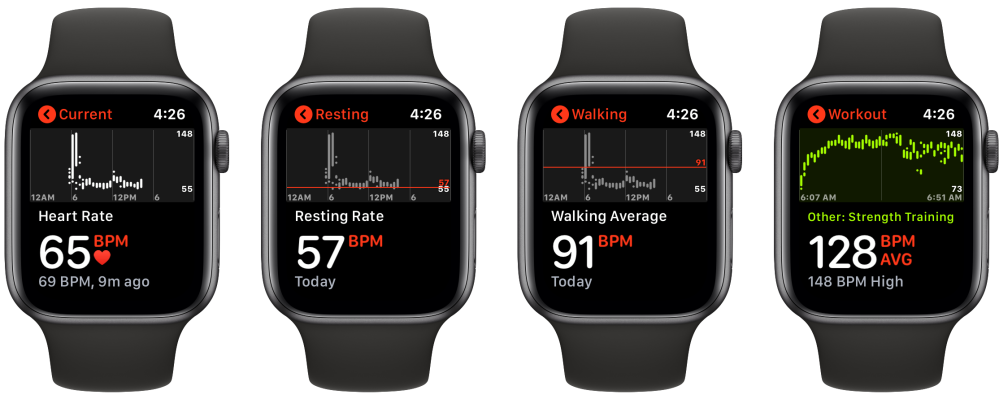
How to see heart rate history Apple Watch

Heart rate history on iPhone

Checking your heart rate history captured by Apple Watch on iPhone gives you the most data, here’s where to find it:

  1. Open the Health app on your iPhone
  2. Tap the Browse tab in the bottom right corner, then Heart
  3. On the main page, you’ll see the various heart rate categories. Tap one to see your history
  4. At the top, you can change the data window between hourly, daily, weekly, monthly, and yearly (H, D, W, M, Y)
  5. Toward the bottom, you’ll see heart rate highlights and more information about each type of heart rate data

Further down in the main Heart section, you’ll see more data like Cardio Fitness, ECG results, blood pressure readings, and low/high/irregular heart rate notifications.

Sleep-tracking

Apple Watch includes native sleep tracking but if you want to get richer data, there are a number of great third-party apps you can use. Check out all the details in our full guide:

Apple Health-supported accessories and apps

Compatible with Apple Health, the Withings Body Cardio smart scale is one of my favorite accessories. It even offers a Vascular Age feature that measures the “speed at which the blood pressure pulse propagates through the circulatory system.”
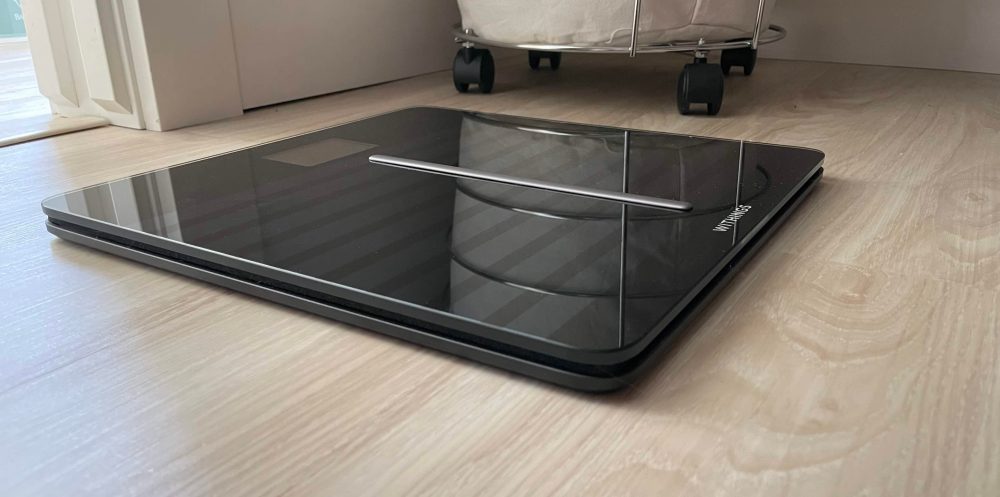
With those measurements, the smart scale is able to determine your arterial stiffness and health with a comparison to the average of people in your age group.

Body Cardio also tracks weight, BMI, body composition (water, fat, bone, and muscle), heart rate tracking, and more.

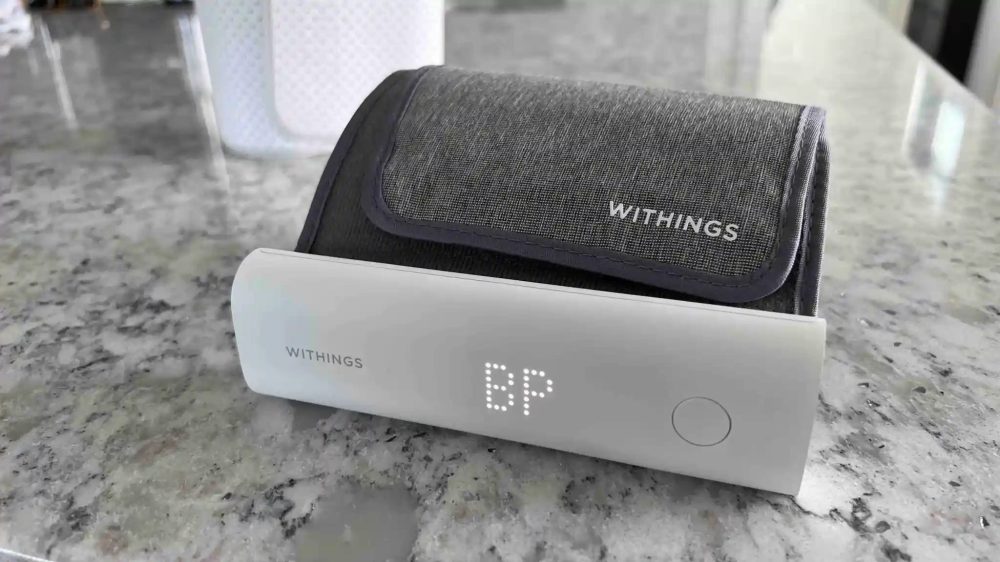
And if you want a seamless way to measure and track your blood pressure with Apple Health, the Withings BPM Connect is a great option.

There are of course many more accessories that record health data with iPhone, just look for the “works with Apple Health” when you’re looking around.

Some of my favorite apps that work with Apple Health include:
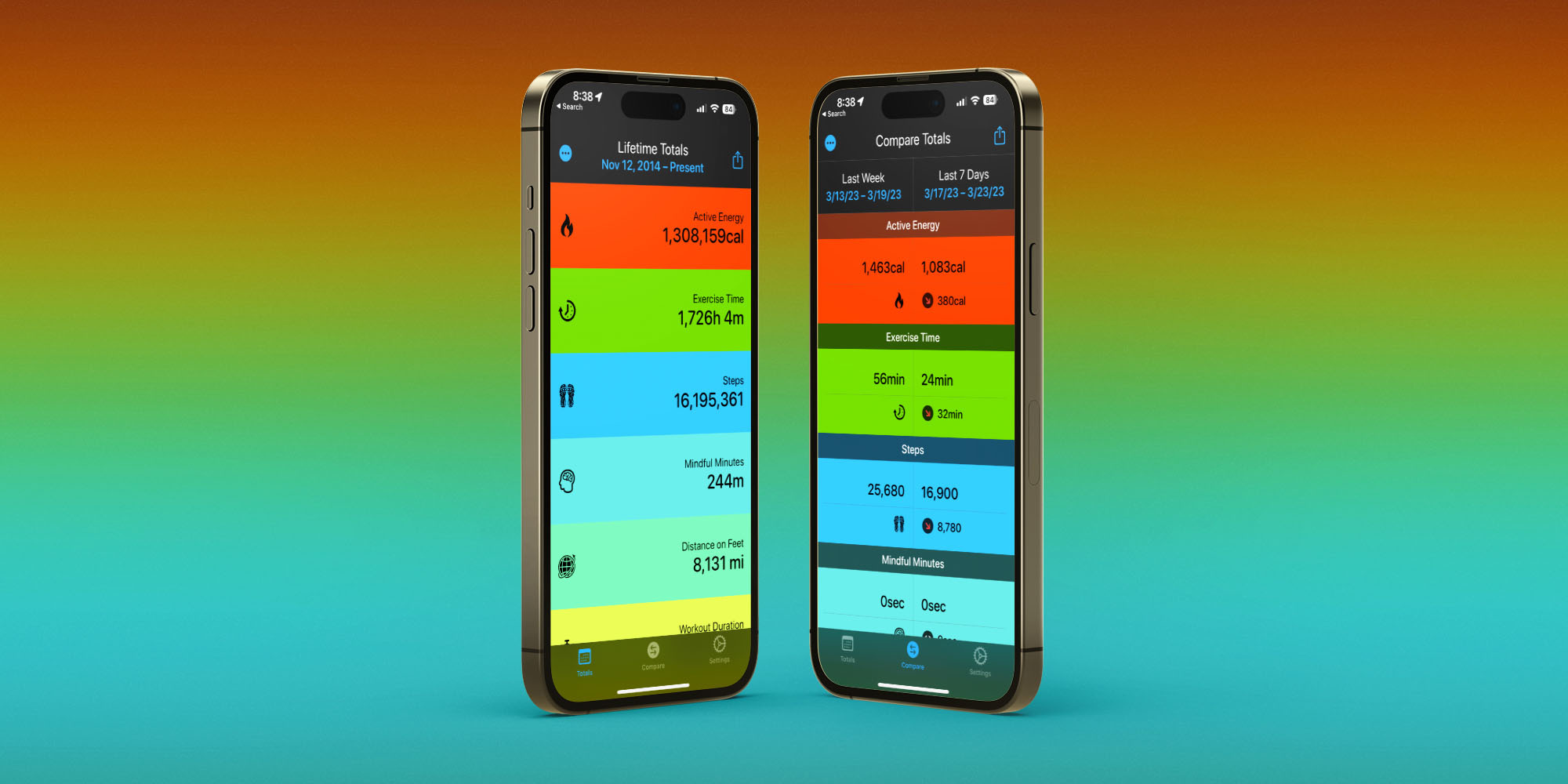
Fitness Stats 2

Posture, computer height, more

For tips and tricks on how to sit properly at your desk, do’s and don’ts for cleang your iPhone, and more, check our these guides:

FTC: We use income earning auto affiliate links. More.

Findings from Apple Women’s Health Study advance science around menstrual cycles

Findings from Apple Women’s Health Study advance science around menstrual cycles

Apple Women’s Health Study: menstrual cycles, health | News

Apple Women’s Health Study: menstrual cycles, health | News

February 1, 2023 – Above the past 3 many years, researchers with the Apple Women’s Wellness Analyze have been able to drop mild on subjects this sort of as being pregnant makes an attempt in the course of the COVID-19 pandemic and the affect of COVID-19 vaccination on menstrual cycles.

Thanks to 3 decades of renewed help from Apple, the perform will go on.

Shruthi Mahalingaiah

“We’ve designed amazing progress in our team’s cohesion and collaboration, and we have been ready to dedicate ourselves towards discovery for women’s overall health,” explained Shruthi Mahalingaiah, assistant professor of environmental, reproductive, and women’s health at Harvard T.H. Chan University of General public Health and fitness and a member of the examine workforce.

The examine is a collaboration of Harvard Chan School, the National Institute of Environmental Overall health Sciences (NIEHS), and Apple. The longitudinal examine is centered on advancing comprehending of menstrual cycles and using that information and facts to enhance screening and chance evaluation for a variety of gynecological conditions—and, ultimately, to strengthen well being throughout the lifespan. With its cohort of additional than 100,000 individuals from across the U.S., masking a extensive array of ages, racial backgrounds, and other demographic things, the examine is nicely on its way.

Claimed Mahalingaiah, “Women’s investigation is underrepresented overall in study. But the require is large.” She pointed out that the global stress of gynecological ailments has jumped noticeably concerning 1990 and 2019. “My hope is that our analyze will tackle items that the world’s populace of menstruators are seeming to confront, such as endocrine problems, problems, psychological wellbeing difficulties, diabetes, and cardiovascular difficulties.”

She added, “We’re emphasizing that the menstrual cycle is a important signal. I would like to foyer to have it up entrance in our clinical report charting. For occasion, is your period regular or irregular? Even that simple data can deliver a total view of a person’s well being.” She famous that irregular periods can suggest a really serious wellbeing challenges. “People do not understand, for occasion, that fewer durations per calendar year noticeably improves your most cancers hazard,” she claimed. “It’s important that folks have this details.”

Members who volunteer for the examine obtain the Apple Research application on their Iphone and use it to observe their menstrual cycles as perfectly as get regular surveys connected to their menstrual expertise. Apple Look at customers also have the opportunity to select to share information on actual physical exercise and mobility that is passively collected. People who’ve signed up say they are participating in purchase to advance women’s wellbeing study, to better have an understanding of their individual health behaviors, and to increase technological innovation in women’s health. Privacy is embedded into the study design and style. Contributors have granular control above which sorts of facts they select to share with the review, and can withdraw from the analyze at any time. Any info gathered is encrypted in transit and saved securely in a system developed to fulfill the technical safeguard requirements of the Overall health Insurance policies Portability and Accountability Act.

Considering the fact that its launch in the tumble of 2019, the study has contributed research similar to COVID-19 and other health challenges. For case in point, the group discovered that there was an practically 20{35112b74ca1a6bc4decb6697edde3f9edcc1b44915f2ccb9995df8df6b4364bc} minimize in being pregnant attempts all through the pandemic, particularly amid those with lower academic amounts and decrease perceived social standing. Other investigation confirmed that though COVID-19 vaccines could lead to small changes in menstrual cycles, those people modifications are momentary. Another examine highlighted how menstrual properties range by age, race and ethnicity, and weight for case in point, participants who ended up Asian or Hispanic had for a longer time menstrual cycles, and weight problems was also connected with lengthier cycles.

Likely forward, researchers strategy to study how seasonality affects the menstrual cycle, how polycystic ovarian syndrome (PCOS) could affect coronary heart health and fitness, and the link amongst menstruation and migraines. Other spots of fascination to the researchers incorporate infertility, osteoporosis, pregnancy issues, and menopausal transition.

Mahalingaiah is significantly cheered by the reality that the research style and design makes it available to all, irrespective of socioeconomic standing, race, geographical spot, or other elements. “We are breaking down boundaries by producing this study 100{35112b74ca1a6bc4decb6697edde3f9edcc1b44915f2ccb9995df8df6b4364bc} obtainable,” she mentioned. “Whether you’re residing in a rural region or you experience disenfranchised by the healthcare community—this is creating a bridge to obtaining representation from all of people voices.”

– Karen Feldscher

picture: iStock/Natalia Kirienko

Apple Watch can help with health & fitness

Apple Watch can help with health & fitness

Yep, it’s that time of the year when all the “new calendar year, new you” advice abounds – and when folks enthusiastically make all sorts of vows to by themselves, most of which are forgotten by the conclusion of January.

But as any health and fitness pro or dietician will explain to you, the solution to sustainable modify is to set realistic health and fitness and conditioning targets, which rely on rather modest variations you can integrate into your everyday lifetime. The Apple Look at can help you in three techniques …

Initially, it can passively measure a assortment of wellbeing- and health-associated metrics, from the range of actions you consider to your resting heart amount (a important evaluate of conditioning). This info is accessible on need in the Well being application on your Apple iphone, and we’ll chat soon about an effortless way to make the most pertinent data readily available on a single screen.

Second, the Observe can display screen your energetic calorie burning and work out minutes at-a-glance, many thanks to the Activity rings. Environment this as a complication on your Check out confront (described beneath) signifies that only glancing at your Look at tells you everything you will need to know about how you’re carrying out that working day.

3rd, it can offer serious-time knowledge in the course of exercise routines, to manual and enable encourage you though working out.

Set sustainable goals

There is a natural human tendency to want to see results immediately, and that can lead persons to set objectives that may be achievable in the quick phrase but are not likely to be sustainable in the medium to more time phrase.

A vintage instance is crash diets. Individuals half-starve them selves for a week or two, drop a great deal of h2o and some excess fat, but are so hungry they then finish up binging – and put all the bodyweight back on.

If you are aiming to lose weight, most dieticians will tell you that a sustainable amount of body weight loss is in the get of 1 to two pounds a 7 days. That may well not audio like a ton, specially if you are making an attempt to drop a lot of weight, but it adds up. In six months, you could get rid of 50 kilos. Dropping body weight at this fee is easily finished applying uncomplicated changes to your having behaviors that will not leave you experience hungry, and which you will not be desperate to end as before long as attainable.

In the same way with exercise. If your ordinary exercise regime is a mild stroll to the coffee shop a few of blocks away, then it may really feel superior to promise to wake an hour previously every early morning and go for a 3-mile jog, but the chances of maintaining this up for much more than a number of times are instead reduced. Significantly far better to start off by turning that two-block stroll into a brisker-paced 10-block walk, and to build up from there.

Of system, all people is distinctive. For some people, an formidable intention – like a 10K pleasurable-operate, half-marathon, or marathon – may possibly be the point that motivates you to get out there. But even issues like “sofa to 10K” systems commence slowly. A typical case in point commences with 3 days a week, and in the 1st 7 days all you to is operate for one minute, walk for two minutes, and repeat a couple of periods.

One particular factor which is confirmed key for me is choosing workout I delight in. I’m never heading to head to the stair-climbing device in my community fitness center, but I actively take pleasure in both going for walks and biking, so these are uncomplicated methods to strike exercising plans.

But there is yet another important factor in which objectives are worried …

Established aims you can immediately regulate

Yet another critical piece of assistance from health professionals is to established plans you can right regulate. Individually, I feel in phrases of inputs and outputs. Inputs are items like how numerous calories I consume just about every working day, though the output is how substantially pounds I eliminate.

Similarly with workout: An input would be how numerous minutes of physical exercise you consider each working day, though an output would be your resting coronary heart fee. The more exercising you get, the fitter you will come to be, and your resting coronary heart level will slide as a result. But it makes perception to concentrate first on the workout minutes, as that’s solely inside your command.

It is significant to evaluate the two inputs and outputs, mainly because the latter track your development towards your ambitions, but you just can’t instantly command outputs. So it makes sense to emphasis on the issues you can control. Delivered you adhere to the consensus view of professionals on setting people inputs, the outputs will abide by.

For illustration, if you want to eliminate excess weight at the recommended amount of a person to two lbs a 7 days, you need to produce a calorie deficit of close to 500 calories per working day. In other terms, you should be burning 500 energy much more than you consume each day.

The calorie target wanted to reach this is dependent on points like how active you are, and your metabolic process, so get guidance from your doctor – but for a sedentary human being this typically usually means 1,200-1,500 calories for a woman, and 1,500-1,800 energy for a guy.

Your Enjoy just can’t keep track of the calories you eat, but it can monitor the energy you melt away.

How your Apple View can assist

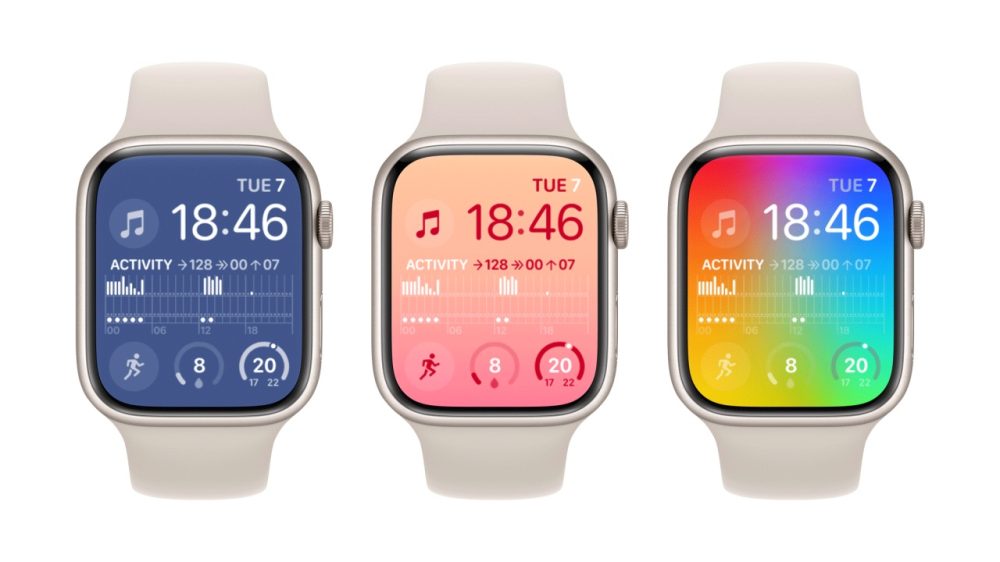
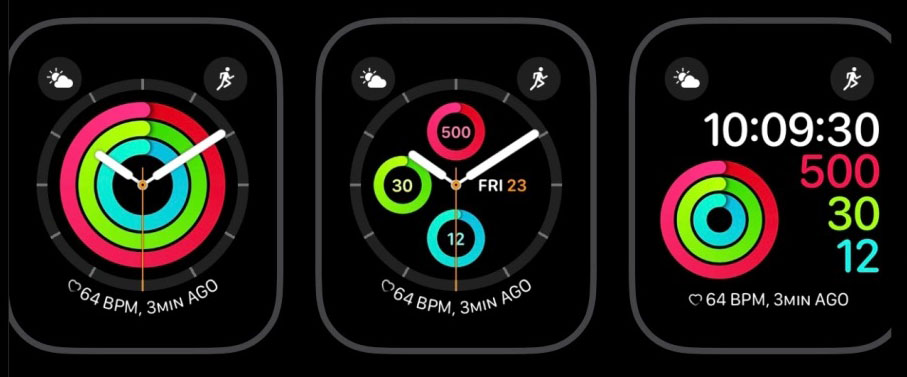
The 1st and most clear step is to increase your Activity rings as a complication. Relying on how centered you want to be, there are a few selections:

  • Activity rings as a smaller complication on any confront
  • Action graph as a central complication on a modular facial area
  • Pick out an Exercise facial area

Here’s illustrations of every single. 1st, smaller rings on the Metropolitan encounter:

2nd, a graph on a Modular deal with:

Finally, an Activity facial area:

Though you can established faces and issues directly on the Watch, individually I think it’s a lot quicker and less complicated to do it in the Watch application on your Iphone. To choose a deal with:

  • Open up the Check out application on your Apple iphone
  • Tap Facial area Gallery at the base of the monitor
  • Scroll until finally you locate a experience you like
  • Tap the confront
  • Faucet Incorporate

To customise issues:

  • Tap My View at the base of the screen
  • Faucet the encounter you just extra, at the major of the display
  • Scroll down to Issues and opt for a situation
  • Faucet that place and decide on Action

The Routines app

The Look at will mechanically monitor your training, but if you activate the Exercise routine app, you will be in a position to monitor your stats in serious time.

You can push the significant aspect button to deliver up your applications (selecting All Apps as expected), or talk to Siri to “Open Exercises,” but the most straightforward way to do it is to pick out Exercises as 1 of your difficulties – then it is constantly just a tap away.

There are constructed-in exercises for lots of sorts of physical exercise, and you can also generate a tailor made exercise if you cannot locate a appropriate current a single.

3rd-bash applications

There are also many third-occasion workout applications created to either manual you through an training regime, or provide far more in-depth details.

Gentler Streak is 1 of the extra well known options, lately picked by Apple as its Apple Enjoy app of the year.

Configure the Well being app dashboard

The Apple Watch quickly feeds information to the Well being app on your Iphone. The sheer quantity of information captured is spectacular, but can also make it tough to focus on the most valuable knowledge for your objectives. For this explanation, it is well worth shelling out a several minutes configuring the Summary page to exhibit your essential data.

To do this:

  • Open the Health app on your Apple iphone
  • Tap the Summary button at the base of the display
  • Tap the Edit button at the leading of the display, upcoming to Favorites
  • Faucet the stars to pick the knowledge you want to see 1st

A good star means that merchandise will surface in your favorites, a hollow begin that it will not.

I suggest staying selective in this article: If you decide on way too a lot of items, it will grow to be as well a lot of a chore to scroll by means of them.

Join any third-get together products to the Well being application

If you individual any suitable 3rd-bash wellbeing and fitness gadgets, like clever scales, then you can use the companion application to have it share the facts with the Wellbeing application. That way, you won’t have to search in extra than one position.

For instance, I have Withings Body Cardio Scales, and these evaluate:

  • Body weight
  • Overall body unwanted fat percentage
  • Bone mass
  • Muscle mass
  • BMI
  • Coronary heart level
  • Pulse wave velocity
  • Vascular age

All that details is routinely sent to Apple’s Health app every single time I weigh myself.

Of course, the tech cannot do the tough work for you – but it can make it a great deal less complicated to track your development, and to enable motivate you.

Do you subscribe to the “new yr, new you” concept? Make sure you share your personal goals and encounters in the comments.

Photograph: Christine Sandu/Unsplash

FTC: We use income earning auto affiliate hyperlinks. Extra.


Test out 9to5Mac on YouTube for extra Apple information:

https://www.youtube.com/observe?v=gzSlA5Em4lQ

Apple Health vs. Samsung Health? What I learned using both

Apple Health vs. Samsung Health? What I learned using both

One of the principal factors to use a smartwatch is to track your health, training, and slumber. Both Apple and Samsung have comprehensive health and fitness platforms, Apple Overall health and Samsung Wellness, but are they truly considerably diverse from just about every other?

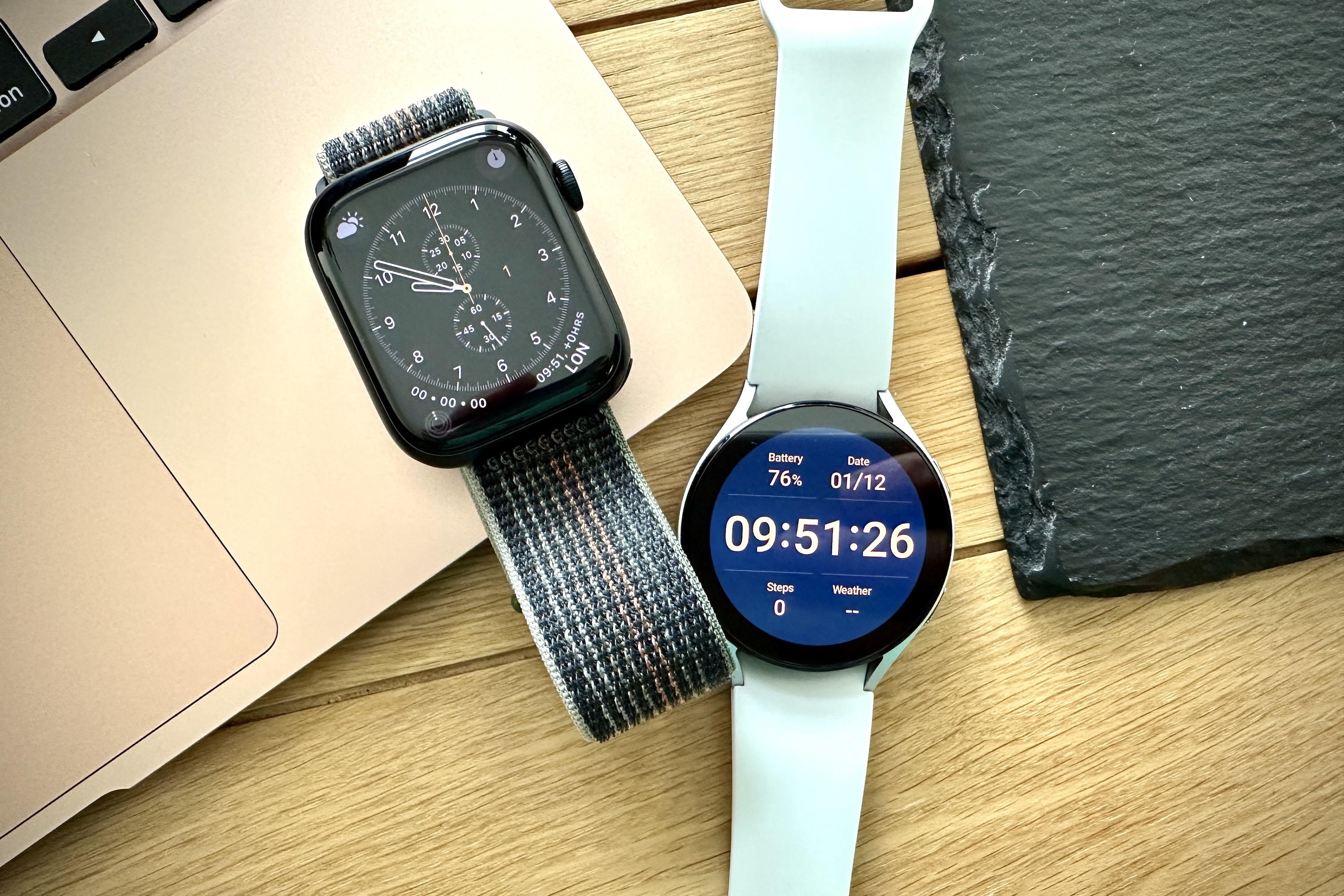
We’ve been applying both of those, connected to the Apple Watch Collection 8 and the Samsung Galaxy Enjoy 5, to find out.

The apps

Apple's Fitness app on the iPhone 14 Pro.
Andy Boxall/Digital Tendencies

The apps set up on your phone are incredibly crucial, not just to link it to your smartwatch, but also to see all your info, so which 1 is greatest? Effectively, neither technique requires only one application. On an Iphone, the common Watch application connects the telephone to your Apple Look at, while you will need both of those Apple Health and Apple Health to see your facts. All are pre-mounted on your cell phone. The Apple Look at only works with the Apple iphone, bear in mind.

To use the Galaxy Observe 5, you want Samsung’s Use app to connect the smartwatch to your cellphone. Additionally, you will need Samsung Overall health for all your exercising and wellness facts, moreover there’s a one particular-time set up of a plugin for the Galaxy Watch 5 if you are not employing a Samsung cellphone. Equally the Overall health and Have on applications occur pre-installed on Samsung phones, and can be downloaded as a result of Google Play for other Android telephones.

Someone wearing the Galaxy Watch 5, looking at the app drawer.
Joe Maring/Digital Traits

Owning to use Apple Overall health and Apple Fitness is a very little puzzling, and I’d definitely like to see Apple mix the two jointly into a single, one application in the future. It would make it extra streamlined. Getting only 1 application, as with Samsung Wellbeing, tends to make much more sense, but there is a likely dilemma with this, as we will see afterwards on. Relationship and set up of both smartwatches are straightforward and really do not take extended, even though you do have to pay much more focus to the Samsung platform following you have paired the check out.

Why? Some characteristics are turned off by default or require some variety of activation to operate, together with blood oxygen checking, pressure monitoring, and the constantly-on display screen. All these have to be set up independently, and may not perform until eventually you do. There are much less steps wanted to empower all the Apple Watch’s features, as most are on by default, making it a much more consumer-welcoming smartwatch out-of-the-box.

Day-to-day activity

Data from Apple's Health and Fitness apps.
Apple Wellbeing and Conditioning apps Andy Boxall/Digital Developments

This is the key display screen you see when you want to verify how lively (or not) you have been all through the working day. It demands to be enlightening, but not as well dense. Apple’s “ring” technique has three rings to near on a each day basis, covering your motion aim, which is primarily based on calorie burn up, the amount of money of exercise you have done in minutes, and an hourly stand target.

It is incredibly distinct how far you are from conference your targets, in addition there is a total breakdown of each group beneath the ring show if you want additional information. It is superb.

Data from Samsung's Health app.
Samsung Health Andy Boxall/Digital Developments

Samsung takes advantage of a comparable a few-intention procedure masking action/calorie burn, energetic time in minutes, and measures. These are shown in the form of a coronary heart instead than a circle. Apple does not set any emphasis on move count at all. It is there in the application, but you seriously have to lookup for it, while Samsung incorporates it into its day-to-day established of aims. I personally like to know my stage count as it is an simple metric to fully grasp, but take pleasure in that calorie burn is a much better, extra motivational figure to get the job done in the direction of.

The Apple Enjoy obviously shows your development towards your aims applying the ring program when you open Apple Fitness on the view, even though Samsung’s heart procedure is the initially Tile to the suitable of the principal enjoy encounter. The way Apple and Samsung’s every day action goals’ info are exhibited is extremely equivalent, and both equally are equally as helpful.

Health monitoring information

There are some appealing structure differences n the application, but otherwise, the way the two record knowledge for the duration of a exercise is pretty related. It’s straightforward to observe a exercise routine on both smartwatches, and there are a number of various modes to choose from.

I have uncovered the GPS tracking on both smartwatches to be similarly exact, and the exhibit on the two to be equally enlightening for the duration of and immediately after exercising. Samsung’s automobile-pause when out walking or managing is a unique variance amongst the two, and it is helpful and highly correct.

The Galaxy Observe 5 does supply a whole lot far more info on your exercise both equally during and right after, but the way it’s offered is extended-winded. The Apple View may exhibit a minimal much less facts straight away following you complete a exercise, but it is introduced far more concisely, and you really do not have to have to scroll very much to see all the things you need to have to know.

Right after the facts has synced with the application — something that happens quickly on equally smartwatches and has been perfectly dependable on the two — Apple manages to pull in advance of Samsung. In the Apple Health and fitness application, every single work out plainly shows the details you want at the top of the screen. You quickly see what form of training it was, how lengthy you exercised, calorie melt away, and common coronary heart rate.

Data from Apple's Health and Fitness apps.
Apple Well being and Health and fitness Andy Boxall/Digital Traits

If you walked or ran, you also get pacing, elevation, split situations, and additional added data. Each and every part can be tapped to present a lot more information and facts, and you scroll down the web page for GPS and temperature info. It is all pretty apparent, and you actually never have to dig for crucial information and facts. Oddly, Samsung buries a large amount of info additional down the webpage, preferring to use a substantial quantity of area for the time, calorie burn up, and coronary heart fee chart. If GPS was active, the map dominates the prime of the webpage.

Data from Samsung's Health app.
Samsung Wellbeing Andy Boxall/Electronic Developments

It is unfortunate due to the fact there is a good deal of loaded information in the Samsung Well being application, but you do have to scroll to come across it. It adds in recovery time, VO2 max information and facts, velocity, cadence, and pacing, plus a lot far more.

Samsung just seems to have no concept how to organize it, and rather just generates a huge, extended listing for you to dig via. With better corporation, Samsung Wellbeing would match and most likely beat Apple Health, but as it is, Apple’s application is extra participating, significantly less complex, and significantly considerably less function.

Rest monitoring

Data from Apple's Health and Fitness apps.
Apple Well being and Fitness Andy Boxall/Electronic Traits

Slumber details is uncovered in the Apple Health and fitness app, not Apple Fitness. Even though the split will make feeling when you contemplate the names of the apps, it’s not in particular consumer-welcoming. Nonetheless, after once again, the way Apple provides the information is extra visually enticing and rational than the extended-winded way Samsung shows the data in the Samsung Health app.

Apple places the graph demonstrating your sleep phases at the major of the page, alongside with your time asleep and time in mattress. You can instantly see the excellent of your rest, and then drill down into extra facts below. The more you wear your Apple Look at and monitor your snooze, the increased the insights. Nonetheless, you do have to check out the relaxation of the Wellbeing app to uncover personal experiences on blood oxygen amounts and heart charge.

Data from Samsung's Health app.
Samsung Wellbeing Andy Boxall/Electronic Tendencies

The Samsung Overall health app shows your time asleep at the top of the website page, but you have to scroll down to see the various phases. When you do, the application also shows blood oxygen and any snoring information, if you have the characteristic active. It is a shame the page style has so a great deal wasted house, as all the facts you want is there. It would just be preferable to not have to scroll all over to see it all.

What about sporting the smartwatches at night time? I identified the smooth, curved Apple Look at with a Activity Loop or Braided Activity Loop band incredibly snug to have on right away, and hardly discovered it on my wrist. The regular Activity band, or the leather and metal bands, are considerably less comfy. I identified it took extended to get made use of to wearing the Galaxy Watch 5 right away, but the gentle, common Activity Band does not get very hot or sweaty. Even so, the Galaxy Look at 5 Pro is much too significant and hefty for me to dress in overnight, as is the Apple Look at Extremely.

All the extras

Body composition on the Samsung Galaxy Watch 5.
Joe Maring/Electronic Developments

Daily exercise, exercises, and rest are the core capabilities of each Samsung and Apple’s apps, but there are lots of added attributes that aid supply a greater photograph of your well being. There are element differences in between the smartwatches for illustration, the Galaxy Observe 5 delivers a entire body composition measurement and tension measurement, and the Apple Look at has Crash Defense and sounds level warnings.

Dig into the Apple Health and fitness application, and there is a prosperity of information and facts primarily based on information the Iphone collects as you go close to, with perception into almost everything from the way you wander to your system temperature taken from your wrist. You won’t want to see the facts each and every working day, but about time it will become interesting to see how your body improvements.

Apple Health and fitness is better at connecting to other platforms and applications than Samsung Health and fitness, which is constrained to just a several. There is a 3rd-get together application termed Health and fitness Sync that inbound links Samsung Health and fitness to other items, together with Fitbit, Garmin, and Coros watches. It also will work with the Oura Ring and Withings goods, but it does have a subscription cost attached. Apple Health is much better at connecting to other products by Apple’s API software.

Which is the ideal to use?

The Apple Watch Series 8 and Galaxy Watch 5.
Andy Boxall/Digital Traits

Each Samsung Health and fitness and Apple’s Health and Health and fitness platforms are fantastic, but there are subtle differences amongst them. Samsung tends to show a large amount additional details, or at the very least it does not conceal it absent like Apple, but it helps make the system denser and significantly less person-welcoming. It is unfortunate Apple has two apps, but this could be the motive both of those are much better built than Samsung Overall health — it’s equipped to distribute details out to make it a lot easier to digest.

Apple Wellness and Conditioning applications make understanding your day by day exercise and work out very simple, and are best for informal or semi-critical athletes, together with folks with certain needs, which includes if you are in a wheelchair. Apple’s accessibility functions also make the Apple Look at actually uncomplicated to use, and although Samsung also has an considerable accessibility suite, it does not appear pretty as intuitive as Apple’s.

It’s a definitely near issue amongst these two. The Apple View Series 8 is the most effective smartwatch you can get, and even though Apple’s Wellness and Physical fitness applications can be bewildering, the information they demonstrate is concise and helpful. WatchOS 9 is packed with good exercise and health and fitness attributes, and all of this blended tends to make it my chosen smartwatch and workout husband or wife. Even so, the Galaxy Observe 5 and Samsung Health are a really close 2nd, enable down primarily by the app design and Put on OS’s idiosyncrasies.

If you’re selecting a new phone and smartwatch blend and are focused on health and fitness and fitness, we advocate the Apple Check out and an Iphone, but a Samsung cellphone and the Galaxy Enjoy 5 come a extremely near second.

Editors’ Tips


Apple Lets Users Search For Marijuana And Pharmaceutical Interactions In Latest iPhone Health Update

Apple Lets Users Search For Marijuana And Pharmaceutical Interactions In Latest iPhone Health Update

The latest version of Apple’s Apple iphone program offers people an solution to observe medications and learn about possible drug interactions with other substances—including marijuana.

As the hashish legalization movement has progressed, the know-how huge has been progressively revising guidelines about the many years that usually align with the normalization of hashish. The most recent illustration is the iOS 16 update to Apple’s Wellness app.

End users can convey to the Wellbeing application if they use liquor, cannabis or tobacco to look for for “potential interactions between drugs on your list.”

A footnote on Apple’s press launch about the Health and fitness application update last week states that the treatment and interaction details “is proof-dependent written content certified from Elsevier, a major publisher of wellbeing and science info.”

“The Drugs attribute should not be applied as a substitute for specialist professional medical judgment,” the tech company cautions. “Additional details is available on the labels of drugs, but consumers ought to seek the advice of their health care service provider prior to creating any choices associated to their overall health.”

Though cannabis continues to be federally illegal, there have been a variety of research released more than the several years that counsel hashish could interact with prescribed drugs like warfarin. According to Prescription drugs.com, there are almost 400 “known” interactions amongst recommended medicines and marijuana, 26 of which it categorizes as “major.”

Lots of states that have legalized cannabis for healthcare or recreational needs also have labeling specifications for marijuana solutions to warning buyers about feasible wellness hazards. Most of those warnings concentration on impaired driving and typical aspect outcomes of cannabis like drowsiness.

Florida’s clinical hashish legislation does need labels to record feasible contraindications, but it’s not crystal clear what supply well being officers use to compile that checklist.

In any circumstance, the Apple update that lists cannabis together with the federally authorized substances alcohol and tobacco does serve as an additional case in point of the mainstreaming of cannabis in Significant Tech.

Past year, Apple finished its coverage of limiting cannabis businesses from conducting business enterprise on its Application retail outlet. The cannabis shipping provider Eaze subsequently declared that individuals were being equipped to store and pay for goods on its Iphone app for the very first time.

Amazon’s new announcement that it will no for a longer period be drug screening employees for hashish is an additional indication that key tech firms are embracing cannabis’s political and social ascendance.

Still, some players in tech industry have had a strained connection with the cannabis market.

Previously this year, New York cannabis regulators asked the social media application TikTok to finish its ban on advertising that requires the phrase “cannabis” as they get the job done to promote public training on the state’s transfer to legalize.

On Fb, condition-authorized cannabis companies, advocacy groups and govt entities like the California Bureau of Cannabis Control have complained of getting “shadow banned,” where their profile web pages do not clearly show up on a typical research. There were being reports in 2018 that the social media giant would be loosening its restrictive hashish policies, but it is unclear what techniques its taken to accomplish that.

The same problem exists on the Facebook-owned Instagram, where people have regularly explained that their accounts have been deleted by the application more than cannabis-related articles even if they weren’t promoting the sale, or selling the use, of hashish.

In 2020, Twitter began partnering with a federal drug company to encourage compound misuse therapy resources when buyers of the social media platform research for “marijuana” or specified other substance-relevant keywords—but no these kinds of wellbeing warning appears with final results for liquor-related terms.

In distinction to Apple, Google’s Android app hub current its plan in 2019 to explicitly prohibit programs that join consumers with cannabis, no make any difference irrespective of whether it is legal in the jurisdiction the place the consumer lives.

Irrespective of marijuana corporations being banned from Google’s app current market, some of the company’s prime officers look really bullish about loosening cannabis rules. Google co-founder Sergey Brin joked about supplying workforce with joints at a put up-election conference in 2016.

California Governor Signs 10 Cannabis Payments, Which includes Interstate Commerce, Employment Protections And File Sealing

Marijuana Second is built doable with assistance from readers. If you depend on our cannabis advocacy journalism to keep knowledgeable, be sure to take into consideration a regular Patreon pledge.